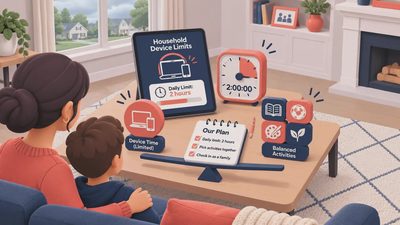
Screen Time Rules for Kids That Work in a Real Home
Screen time rules for kids can be practical: set calmer device limits, protect sleep, manage Wi-Fi access, and build routines your whole family can follow...

Category
Technology should make family life smoother, not more complicated. Find realistic strategies for shared password management, kids' tablet controls, household calendars, and screen-time routines that work for both parents and children.
Screen time rules for kids can be practical: set calmer device limits, protect sleep, manage Wi-Fi access, and build routines your whole family can follow...
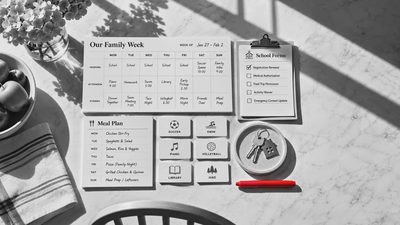
Find the best family calendar app for shared schedules, school events, chores, and appointments. Compare privacy, cost, setup, and family-friendly features...
Smart family organizer? Learn which shared calendars, reminders, displays, and routines actually help busy households without adding costly tech clutter.
Parental controls internet safety: set practical family device limits, protect privacy, and keep home Wi-Fi manageable with simple steps that work.
A family password manager gives every household secure logins, simple sharing, and safer account recovery. Compare practical features, costs, and setup tips.
family tools? Learn which shared apps, smart devices, and simple routines help households stay organized, connected, safer, and easier to manage.
Learn how to turn off screen time for my child on iPhone, iPad, or Android, with clear steps, family settings, and practical fixes when controls do not stick.
Shared household accounts and device logins create friction when every adult and older child uses a different method. A simple, written system that relies on a password manager for the adults and clear recovery paths for everyone else reduces lockouts and arguments. This article outlines a practical approach that works for ordinary families without requiring everyone to become an expert.
A child’s first tablet can be a useful tool for learning and entertainment without constant monitoring or complicated parental-control suites. This guide focuses on practical boundaries, age-appropriate settings, and simple technical choices that protect the child while preserving trust and ordinary family life. The goal is a device that works within clear rules rather than a surveillance system.
Shared digital calendars and simple reminder systems can remove a large amount of daily coordination friction for families. The key is keeping the tools few, the rules clear, and the maintenance light. This article describes a practical setup that works for ordinary households without requiring everyone to live inside an app.
A child’s device that suddenly refuses to join the network is a common and frustrating household moment. The causes are usually ordinary—wrong band, forgotten password, IP conflict, or a router setting—rather than mysterious failure. This article walks through the practical diagnostic steps I use and the lessons that apply to any family dealing with a stubborn tablet, phone, or console.
Technology rules only work when they are few, clear, and consistently applied. This article shares the practical guidelines our household uses for cameras, voice assistants, and screen time. The emphasis is on reducing daily negotiation and protecting ordinary privacy while still allowing useful tools to remain in the home.