When people search for family tools?, they are usually not looking for another complicated gadget or an app that needs daily supervision. They want ordinary household problems solved: a child forgetting a school deadline, a parent missing a package, a weak Wi-Fi signal during homework, or everyone asking for the same password. The best solutions are simple enough to survive a busy Tuesday.
I have installed enough home technology to know that a useful setup starts with routines, not shopping. Before buying anything, write down the two or three frustrations your household repeats every week. Then choose one tool that removes a step. That approach costs less, creates fewer maintenance chores, and gives everyone a better chance of actually using it.
Start with the family problem, not the device
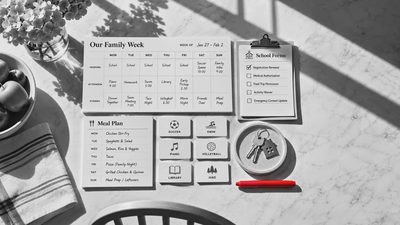
The phrase family tools? can describe software, hardware, or a small household system. A shared calendar such as Google Calendar or Apple Calendar can coordinate appointments, school events, sports, medication reminders, and trash pickup. A shared note can hold grocery items, emergency contacts, warranty dates, and the location of shutoff valves. Neither requires a smart-home hub or a monthly fee.
The important detail is ownership. One adult should create the household structure, but everyone who needs it should know how to view or update it. Use clear names such as Home Calendar and Grocery List rather than a collection of personal notes that only one person can access. If a tool stops working when one phone is lost, it is not a dependable family system.
For physical problems, begin with inexpensive equipment. A label maker, painter’s tape, spare charging cables, a small flashlight, and a basic tool kit solve more household confusion than many premium gadgets. Label the router power adapter, camera chargers, and smart-lock batteries. I keep a notebook with device names, warranty dates, reset instructions, and the last fix that worked. That notebook has saved more time than any dashboard.

Family tools? for a calmer digital home
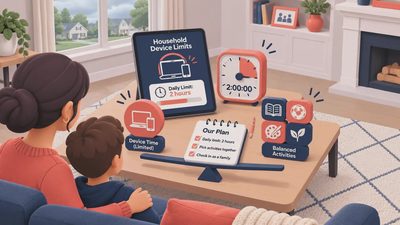
A household can make technology easier by agreeing on a few shared rules. Decide where charging happens, which devices may stay in bedrooms, and who receives security notifications. These are not punishments. They are basic operating instructions, like putting keys in the same bowl every evening.
For younger children, parental controls can help with schedules and app approvals, but they should not be treated as a complete safety system. Apple Screen Time, Google Family Link, and router-level controls each cover different areas. Set them up while the child is nearby, explain what they do, and review the settings after a month. A control nobody understands often becomes a source of arguments or gets disabled during a rushed morning.
Shared accounts need care. Do not use one password for every household service, even if it feels convenient. Use a password manager with separate accounts and a shared vault for items such as the Wi-Fi password, streaming services, and appliance logins. Turn on multifactor authentication for email, banking, and the account that controls your cameras or smart lock. Losing access to the main email address can make every other recovery process harder.
Useful smart-home family tools? without the clutter
Smart devices earn their place when they remove a repeated task. A video doorbell can show whether a delivery arrived, but it also needs a strong Wi-Fi signal, a charged battery if it is wireless, and sensible notification settings. A smart lock can help a family avoid hidden spare keys, but everyone should have an individual code and a backup entry plan for a dead battery.
A smart thermostat can reduce manual adjustments and make schedules easier, especially when the household has predictable work and school hours. However, a basic programmable thermostat may be the better purchase if nobody wants an app. A $30 to $70 device that is used consistently is more valuable than a $200 model that creates confusion.
Start with one device in the room where the problem happens. Do not install six sensors, three voice assistants, and multiple brands at once. Confirm that the device works for two weeks before expanding. Check its subscription cost, privacy controls, battery life, warranty, and compatibility with the phones already in the home. This five-minute review prevents many expensive returns.
Build a setup that still works when something fails
Every useful list of family tools? should include a fallback plan. Smart technology depends on power, Internet service, accounts, and sometimes a manufacturer’s cloud platform. If the Wi-Fi goes down, household members should still know how to unlock the door, contact one another, and find important information.
Keep a physical key for a smart lock in a secure, agreed-upon location. Store the Internet provider’s support number and account details somewhere accessible. A small battery backup can keep a router and modem running during a short outage, but it will not solve a neighborhood service failure. For cameras, understand whether recordings require a subscription and whether local storage is available.
Test the plan twice a year. Unplug the router briefly and confirm that critical routines remain possible. Check camera batteries, smoke-detector dates, door-lock codes, and account recovery methods. Remove old users when a roommate moves out or a service technician no longer needs access. Maintenance is less exciting than installation, but it is where dependable systems are made.
A practical budget for household technology
You can create useful family tools? for under $100 by combining a label maker, a charging station, a basic toolkit, a shared calendar, and a password manager plan. A moderate setup in the $150 to $400 range might add a mesh Wi-Fi system, a video doorbell, or a smart thermostat. Those prices do not include every possible subscription, so check recurring fees before comparing products.
Spend first on the foundation. If the router sits inside a cabinet at one end of the house, a new camera may not fix unreliable video. Moving the router into an open, central location can cost nothing. If coverage remains poor, a two-node mesh system from brands such as Eero, Google Nest, or TP-Link can be more practical than buying a high-end router and guessing at its settings.
When comparing products, ask four questions: Who will use it? What repeated task does it remove? What happens if the battery dies? What does it cost after the first year? The answers usually reveal whether a purchase solves a household problem or simply adds a new screen.
Make the system easy for every household member
The best family tools? are visible, understandable, and forgiving. Put the shared calendar where adults naturally look. Use plain labels on cables and chargers. Create a one-page emergency sheet with the Wi-Fi name, router location, smart-lock instructions, utility shutoffs, and contact information. Avoid storing sensitive passwords in plain sight; place recovery details in a trusted password manager instead.
Teach children and visiting relatives the small number of actions they actually need. They do not need a lecture about networking. They need to know how to join the guest Wi-Fi, call a parent, silence an unwanted notification, or report that a camera is offline. Write instructions in the same order the action happens, and include a simple picture when that helps.
Technology should reduce the number of decisions a family makes every day. If a setup produces constant alerts, repeated logins, or arguments about who controls it, simplify it. Remove an unused device, cancel an unnecessary subscription, or return to a manual routine. Let’s make your home work for you, not the other way around.