Why Is My WiFi Slow? Practical Fixes for a Faster Home Network
Why is my wifi slow? Find common causes, test your connection, and fix weak signals, router problems, congestion, and device issues without guesswork.

Category
Strong home Wi-Fi starts with smart placement, proper settings, and understanding how signals travel through your walls. This section covers router optimization, mesh Wi-Fi placement, dead-zone fixes, and simple troubleshooting steps to keep your entire house connected.
Why is my wifi slow? Find common causes, test your connection, and fix weak signals, router problems, congestion, and device issues without guesswork.
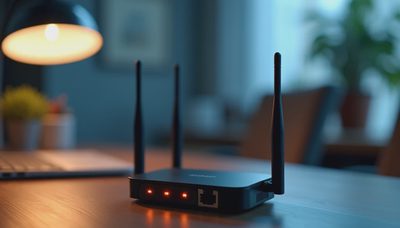
Learn how to fix weak wifi signal with simple placement, restart, and upgrade steps. Improve coverage, streaming, cameras, and smart-home reliability.
wifi mesh extender advice for dead zones, cameras, and family devices. Learn where to place one, when to replace your router, and how to avoid wasted money.
Need a wifi signal strength test? Learn how to check Wi-Fi coverage, read dBm results, find dead zones, and improve your home network without overspending.
Learn how to set up a home network with a clear router, Wi-Fi, device, and security plan that keeps family technology reliable, private, and easy to manage...
Home network setup made simple: improve Wi-Fi, protect smart devices, and fix dead zones with practical, affordable steps for reliable internet at home.
Smart camera home security necessity to protect your family? Learn what cameras do, what they cost, and how to build practical protection without overspending.
Learn how to set up a smart home with practical advice on Wi-Fi, locks, cameras, privacy, costs, and reliable devices for your family today.
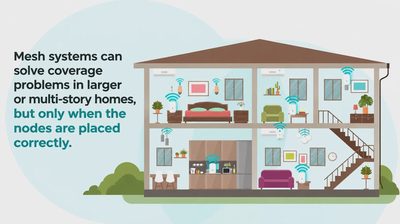
Mesh systems can solve coverage problems in larger or multi-story homes, but only when the nodes are placed correctly. Most of the failures I have seen come from putting units too far apart, hiding them in cabinets, or treating the main router location as optional. This article covers the placement rules that actually work in ordinary houses and the simple checks that prevent frustration after installation.
A few overlooked router settings cause a surprising number of everyday Wi-Fi complaints. You do not need to become a network engineer to fix them. This guide walks through the practical settings that matter for family homes—channel selection, band preferences, firmware, and guest access—using clear language and realistic expectations. Small adjustments often restore reliable performance without new hardware.
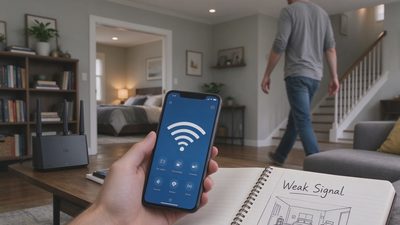
You do not need special equipment to find where your Wi-Fi fails. A phone, a notebook, and a short walk through the house will show you the weak spots more accurately than any marketing claim. This method takes about thirty minutes and gives you a clear picture of what to fix first. Once you know the pattern, placement changes or simple upgrades become obvious.
Most home Wi-Fi problems start with a few basic misunderstandings about how the signal actually works. This guide explains routers, bands, channels, interference, and coverage in plain language so you can diagnose issues yourself. You will learn what matters for ordinary family use and what you can safely ignore. No engineering degree required—just clear explanations and practical next steps.