Small Devices, Specific Jobs
Not every smart-home gadget needs to be part of a large ecosystem. Smart plugs, motion sensors, and energy monitors are useful precisely because they do one job well and require little ongoing management. Understanding what each is good for prevents the common pattern of buying a drawer full of devices that never get set up.
Smart Plugs: Control Without Rewiring
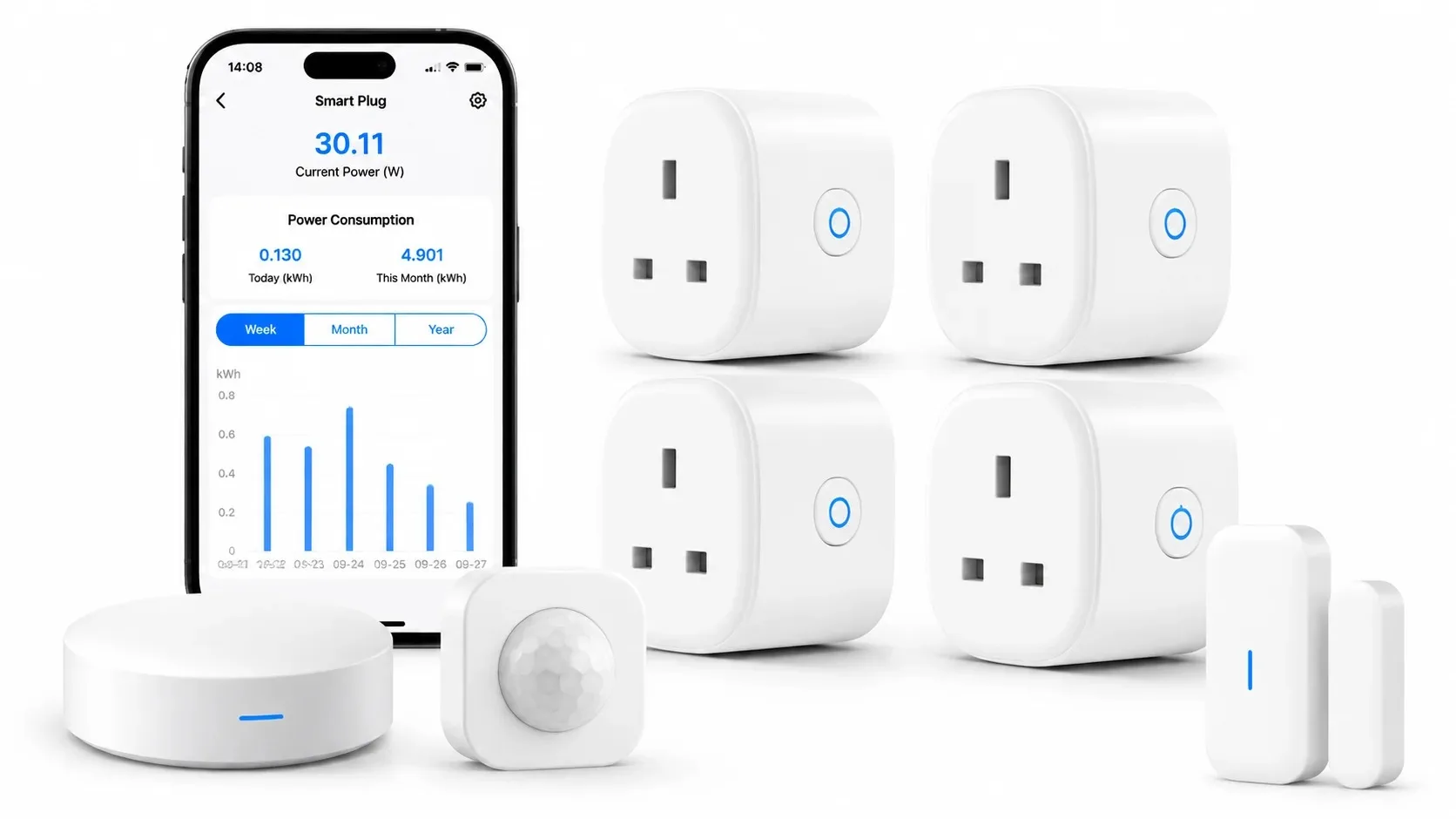
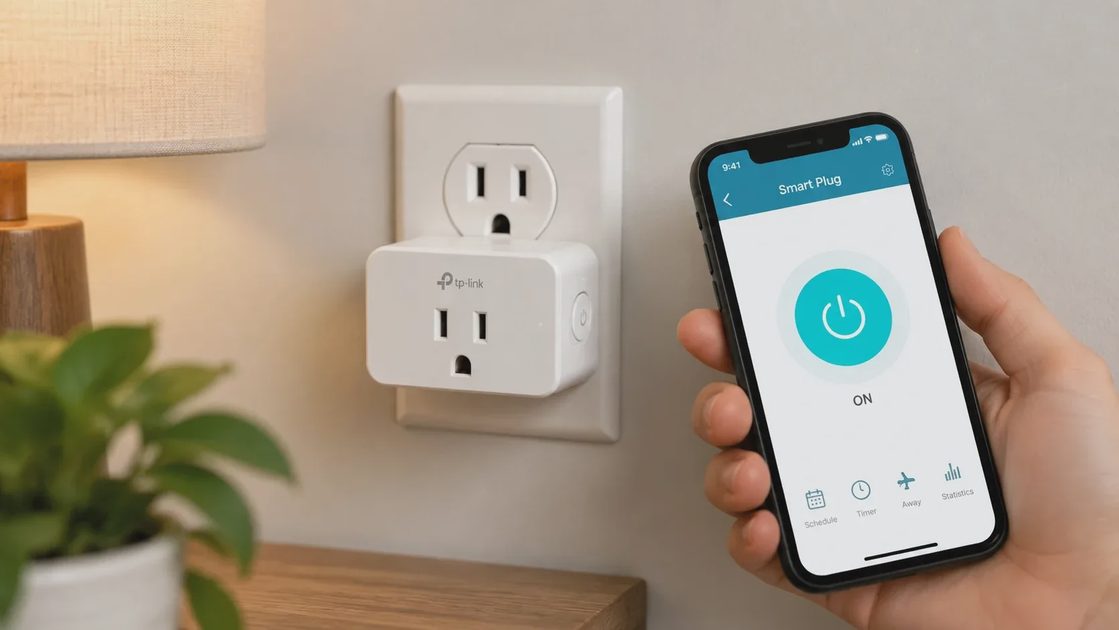
A smart plug sits between a standard outlet and a lamp, fan, coffee maker, or other plug-in device. Once connected to Wi-Fi, it can be turned on and off from a phone, scheduled for certain hours, or included in simple routines. The best uses are devices you already operate by hand and would like to automate without replacing them.
Best Everyday Uses
Good candidates include living-room lamps that you want to turn on at dusk, a bedroom fan that should run for a few hours after bedtime, a coffee maker that needs to be ready at a set time, or a space heater that has its own tip-over protection. Smart plugs also work well for holiday lights, a dehumidifier in a basement, or any device that tends to be left on longer than necessary. In our house we use a couple on lamps in the living room and one on a small fan in the hallway. The schedules are simple and the physical buttons still work if the network is down.
What to Avoid
Smart plugs are less suitable for high-draw appliances that exceed the plug’s rated capacity, for devices that need constant power for clocks or memory, or for anything where a sudden power interruption would cause problems. Do not use them on refrigerators, medical equipment, or large space heaters that draw more than the plug is rated for. Also skip them for devices you rarely touch—there is no point in adding a smart layer to something that already works fine with a simple switch.
Practical Setup Tips
Choose plugs with a physical button so you can still operate the device if the network is down. Check the energy-monitoring feature if you want rough usage data; not all plugs include it. Place them where the phone signal is reliable and where you can still reach the button. After setup, test the schedule and the manual override. Label the plug or the outlet so everyone in the family knows what it controls. A five-minute setup that stays reliable is better than a complicated routine that no one remembers how to adjust.
Motion Sensors: Automation and Awareness
Motion sensors detect movement and can trigger lights, send a notification, or start a routine. In a family home the most practical applications are hallway or closet lights that come on automatically, a notification when someone enters the garage or a side-door area, or a gentle night-light path for children.
Placement That Works
Placement and sensitivity determine success. A sensor aimed at a busy hallway will fire constantly. One aimed at a low-traffic area with a short timeout will feel helpful rather than annoying. Mount sensors high enough to catch movement but angled so they ignore pets if possible. In closets and pantries a simple battery sensor that turns on a light for thirty or sixty seconds is often perfect. In hallways, longer timeouts and lower sensitivity usually work better.
Battery Versus Wired
Battery-powered sensors are easy to place but need occasional replacement. Hardwired or plug-in versions eliminate that chore. For most families the battery models are fine if you set a calendar reminder and keep spare batteries in a known spot. The key is choosing a sensor whose battery life matches how often you are willing to change it. A sensor that needs new batteries every two months will eventually be ignored.
Limits and Common Frustrations
Motion sensors are poor substitutes for security cameras when identification matters, and they are frustrating when pets trigger them repeatedly. Use them for automation and simple presence awareness, not as a primary security layer. If the sensor cannot be tuned or lacks activity zones, it will produce so many false alerts that people eventually ignore it or turn it off. Test the sensitivity after installation and adjust until the alerts match real activity rather than every passing curtain or pet.
Energy Monitors: Seeing Where the Power Goes
Whole-home energy monitors clamp onto the main electrical service and report total usage, often broken down by circuit if the panel labeling allows. Plug-level monitors or smart plugs with energy reporting show the consumption of individual devices. The value is visibility. Many households discover that a few always-on devices or an aging appliance account for more electricity than expected.
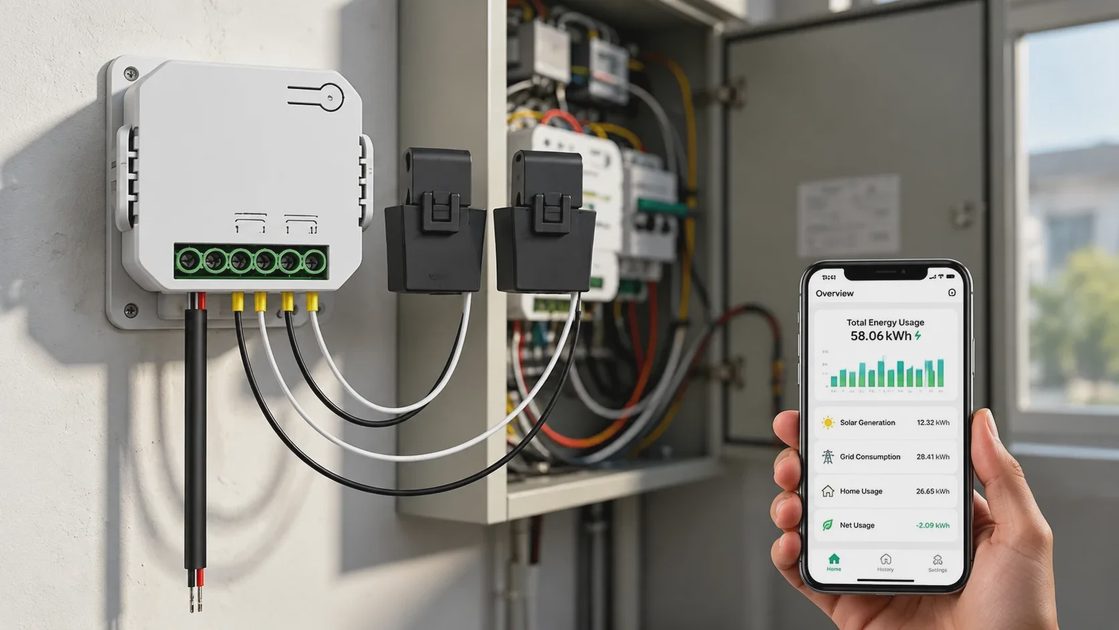
Use the data to decide whether a device should be put on a smart plug with a schedule, whether an appliance is due for replacement, or whether a behavior change (such as adjusting a dehumidifier’s setpoint) is worthwhile. Do not expect perfect precision; treat the numbers as directional guidance rather than laboratory measurements.
How the Three Work Together
A motion sensor can turn on a lamp that is plugged into a smart plug. An energy monitor can show that the same lamp, left on all day, costs more than expected, prompting a shorter timeout or a schedule. The combination is useful, but each device should still make sense on its own. Avoid building elaborate automations that no one remembers how to adjust when something changes.
A Simple Combined Example
In a hallway we use a motion sensor to turn on a lamp that sits on a smart plug. The plug also reports energy use. After a week we noticed the lamp was on longer than needed in the early morning, so we shortened the timeout and added a hard off time after sunrise. The whole setup took less than an hour and has required almost no attention since. That is the standard I aim for: useful, quiet, and easy to change later.
Keeping Automations Simple
Start with one or two devices that solve a clear problem. Add complexity only when the simple version is already working reliably. If an automation requires three apps and a custom routine that no one else in the house understands, it will eventually break or be abandoned. The best systems are the ones a tired parent can still adjust at the end of a long day.
What to Skip
Skip smart plugs for devices that already have good built-in timers or that are hazardous if power is cut unexpectedly. Skip motion sensors in rooms where people sit still for long periods or where pets roam freely without adjustment options. Skip energy monitors if you are unlikely to look at the data or act on it; the hardware alone does not save energy.
A Practical Buying Sequence
Identify one or two lamps or devices you already turn on and off by hand and put them on smart plugs.
Add a motion sensor only where automatic lighting would clearly help.
Consider an energy monitor if utility bills feel high and you want to locate the largest loads.
Stop when the devices you have are working reliably. Expansion can wait.
After the First Week
Check that schedules are still useful, that motion timeouts feel right, and that any energy data is actually being used. Adjust or remove anything that creates more work than it removes. A device that needs constant tweaking is not earning its place.
Closing Thought
Smart plugs, motion sensors, and energy monitors are tools for specific jobs. Used with clear purpose they reduce small daily frictions and reveal useful information. Bought without that purpose they become clutter. Match the device to the problem, keep the setup simple, and let the rest of the house stay ordinary.
Let’s make your home work for you, not the other way around.