If you are wondering how to set up a smart home, start with the problem you want to solve rather than a cart full of gadgets. A reliable setup might begin with better Wi-Fi, a smart thermostat, or a lock that lets you stop carrying spare keys. You do not need a voice assistant in every room or an expensive professional system. The goal is simple: let technology handle a few useful chores without creating more maintenance.
Start with the Home, Not the Gadgets
Walk through your home at a normal time of day and write down the small frustrations you repeat. Perhaps the living room gets weak Wi-Fi, the porch light stays on all afternoon, or you are unsure whether the back door is locked after leaving for work. These observations give you a sensible starting point.
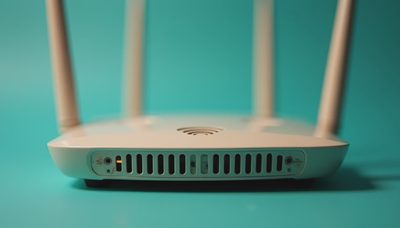
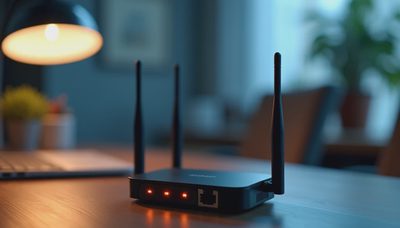
For many households, the best first purchase is a dependable router or mesh Wi-Fi system. A single router can often cover a smaller apartment or ranch-style house, while a two- or three-unit mesh system is more useful in a larger home with finished basements, brick walls, or multiple floors. Brands such as Eero, Google Nest WiFi, and TP-Link Deco offer straightforward apps, but placement matters more than the logo. Put the main unit in an open, central location rather than inside a cabinet.
Budget between $100 and $300 for a meaningful Wi-Fi improvement. Before buying, run a speed test in the rooms where you plan to install cameras or smart switches. A fast internet plan cannot fix a router hidden behind a television or a dead zone caused by dense walls.
The first step in how to set up a smart home is therefore a short home survey. Count outlets, note weak signal areas, and decide which daily annoyance deserves attention first.
Choose One Platform and Keep It Manageable
Smart-home products communicate through apps, wireless standards, and shared platforms. The easiest approach for most families is to choose a primary control system, such as Amazon Alexa, Google Home, or Apple Home. You can still buy products from different manufacturers, but checking compatibility before checkout prevents a frustrating return trip.
Look for support for Matter when comparing newer products. Matter is an industry standard intended to improve compatibility among participating devices, although features can still differ between brands. A Matter label does not automatically guarantee that every advanced function will work in every app. Read the product page for the exact device, required hub, and subscription terms.
Avoid building around a device that needs a paid plan for basic operation unless the service is worth the cost. A camera subscription might run $3 to $15 per month, while a thermostat usually works without a recurring charge. Add those fees to your three-year budget. A $120 camera that costs $10 monthly becomes a much larger purchase than it first appears.
You can learn how to set up a smart home without choosing an ecosystem on day one. Start with one device, test its app, and confirm that everyone who needs access can use it. Simple beats impressive when a system is shared by a busy family.
Install the Most Useful First Devices
A smart thermostat is often a practical early upgrade if your current thermostat is compatible and your household schedule is fairly predictable. Ecobee and Google Nest models offer scheduling and remote adjustments, but installation requires care. Turn off power at the HVAC breaker, photograph the existing wiring, and confirm that the new thermostat supports your system. Older homes and heat-pump systems deserve extra attention because wire labels are not always enough.
Smart plugs are another low-risk starting point. Use one for a lamp, fan, or holiday decoration, not for high-load appliances such as space heaters unless the manufacturer specifically rates the plug for that use. A plug priced around $10 to $25 can create a useful schedule without replacing the appliance.
At the door, a smart lock is valuable when several people need access. Choose a model that fits your existing deadbolt and check whether the keypad works during an internet outage. Most locks still allow manual operation, but batteries eventually need replacement. I keep a spare set of AA or AAA batteries in the same drawer as my flashlight because convenience disappears when the lock starts beeping at bedtime.
Plan Cameras and Privacy Before Installation
Cameras should solve a defined problem, such as checking a package area or seeing whether a child arrived home. Avoid pointing indoor cameras at bedrooms, bathrooms, or areas where guests expect privacy. For outdoor cameras, aim for your own entryways and property rather than neighboring windows or public spaces.
Decide whether you want cloud storage, local storage, or no recorded video. Cloud plans are easier to access and often include motion alerts, but they create a monthly cost and place recordings with a service provider. Local storage can reduce subscriptions, yet you are responsible for the memory card, backups, and hardware failure.
Use unique passwords and multifactor authentication on the camera account. Do not share the main account password with every household member; invite them through the app when possible. Also reduce unnecessary notifications. An alert for every passing car teaches people to ignore alerts, while a narrower activity zone is more useful.
This is where how to set up a smart home becomes less about gadgets and more about boundaries. The right camera is the one your household can operate responsibly and maintain.
Build Routines That Save Real Effort
Automation should remove a repeated decision, not create a clever demonstration that nobody uses. A simple “away” routine might turn off selected lights, adjust the thermostat, and confirm that the front door is locked. A bedtime routine could turn off downstairs lamps and switch on a hallway night-light at low brightness.
Start with one trigger and one or two actions. For example, a motion sensor in a hallway can turn on a light after sunset, but it should not activate every time the family walks past during the day. Test the routine for a week before adding more actions. If it fails, change one setting at a time so you know what fixed it.
Voice commands can help with timers and lights, but physical switches remain important. Guests, children, and anyone carrying groceries should not need to remember a special phrase to turn on a lamp. A good smart home supports ordinary controls instead of replacing them.
Secure, Label, and Maintain the System
Use a separate guest Wi-Fi network for visitors and compatible low-trust devices when your router supports it. Keep the router firmware and device apps updated, and remove products you no longer use from your account. Updates are routine maintenance, not a reason to panic.
Create a small household record. Write down each device, its room, purchase date, battery type, account owner, and recovery method. Do not write plain-text passwords in an exposed notebook; use a reputable password manager and record only the information needed to recover access. Labeling power adapters also helps when several black cables look identical behind a desk.
Every three months, test camera alerts, door-lock batteries, automation routines, and Wi-Fi coverage. Check that former occupants or contractors no longer have access. If a device repeatedly drops offline, move it closer to the router, replace its batteries, or remove it instead of endlessly troubleshooting a product that does not fit your home.
Knowing how to set up a smart home also means knowing when to stop adding devices. A dependable setup with six useful products is better than a complicated collection of twenty that nobody maintains.
A Sensible First-Month Plan
During the first week, map your Wi-Fi and list the three household problems you want to solve. During the second, improve router placement or install a mesh system if coverage is genuinely poor. During the third, add one practical device, such as a smart plug, thermostat, lock, or outdoor camera. During the fourth, adjust notifications, invite household users, and document the setup.
Expect to spend roughly $150 to $400 for a modest beginning, excluding any internet-plan changes. A larger system with several cameras, a smart lock, thermostat, sensors, and a hub can pass $1,000 quickly. Spend first on reliability, compatibility, and easy maintenance rather than flashy features.
The best answer to how to set up a smart home is to make one small improvement at a time. Test every addition, respect privacy, track recurring fees, and keep manual controls available. Let’s make your home work for you, not the other way around.