Why Placement Beats Hardware Specs
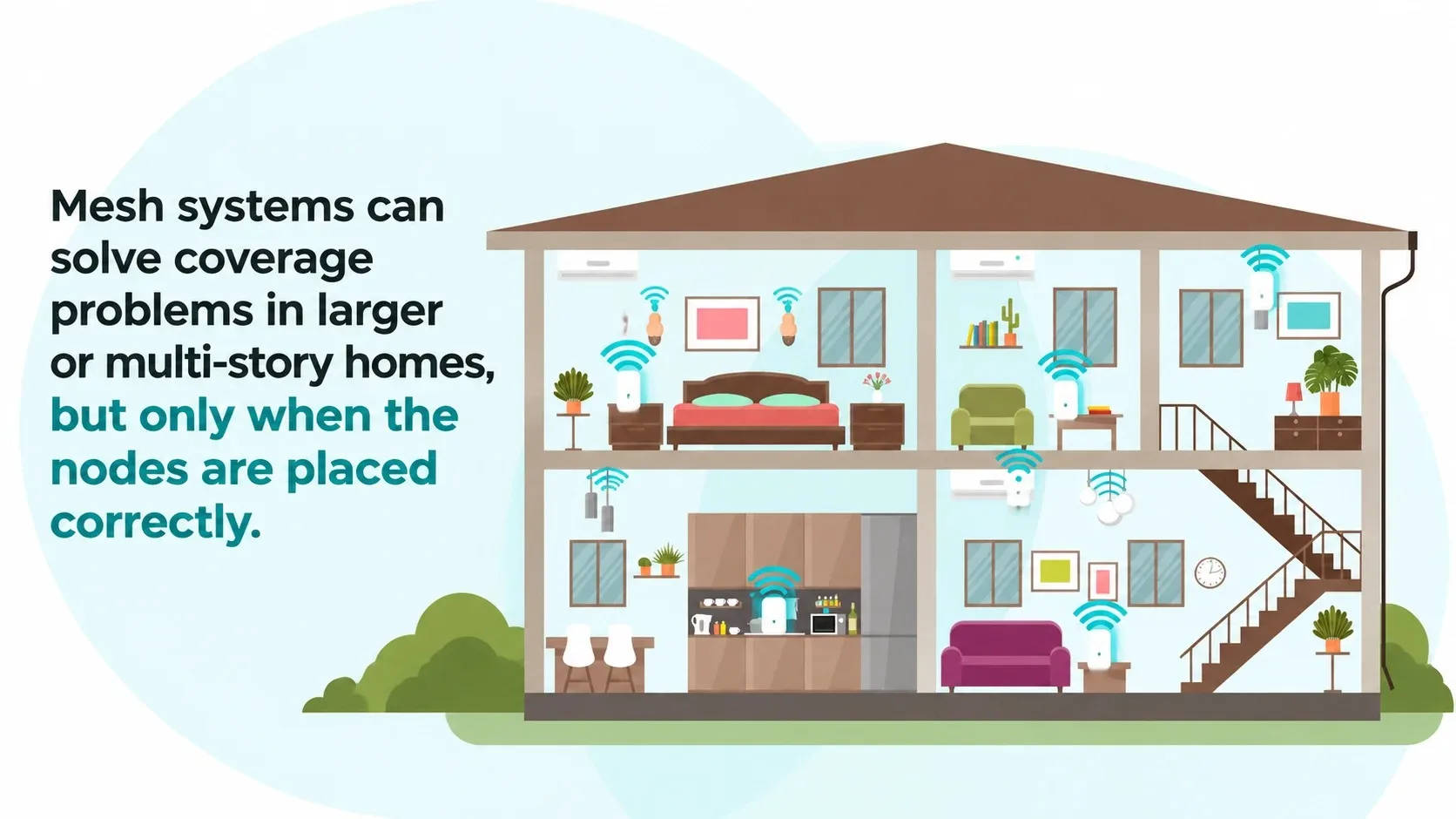
A mesh kit is a set of units that work together to extend coverage. One unit usually connects to your modem and acts as the main router. The others sit farther into the house and pass the signal along. When the system is set up well, devices roam between nodes without the user noticing. When it is set up poorly, the network feels slower and less reliable than a single good router.
In the field I saw the same mistakes repeatedly. People followed the quick-start guide, placed the nodes where they looked neat, and then wondered why the back bedrooms still dropped offline. The hardware was fine. The placement was not.
Mistake One: Nodes Too Far Apart
Mesh nodes need to talk to each other on a solid connection. If you put them at the extreme ends of a long house or on different floors with thick walls between them, the backhaul link becomes weak. The system may still show the nodes as online, but the devices connected to the distant node will suffer.
A practical rule is to place the first satellite node where the main router’s signal is still strong—usually about halfway to the problem area rather than all the way into it. Once that node is solid, you can place the next one farther out. Think of it as a chain of good links rather than a single long jump.
Mistake Two: Hiding Nodes in Cabinets or Behind Furniture
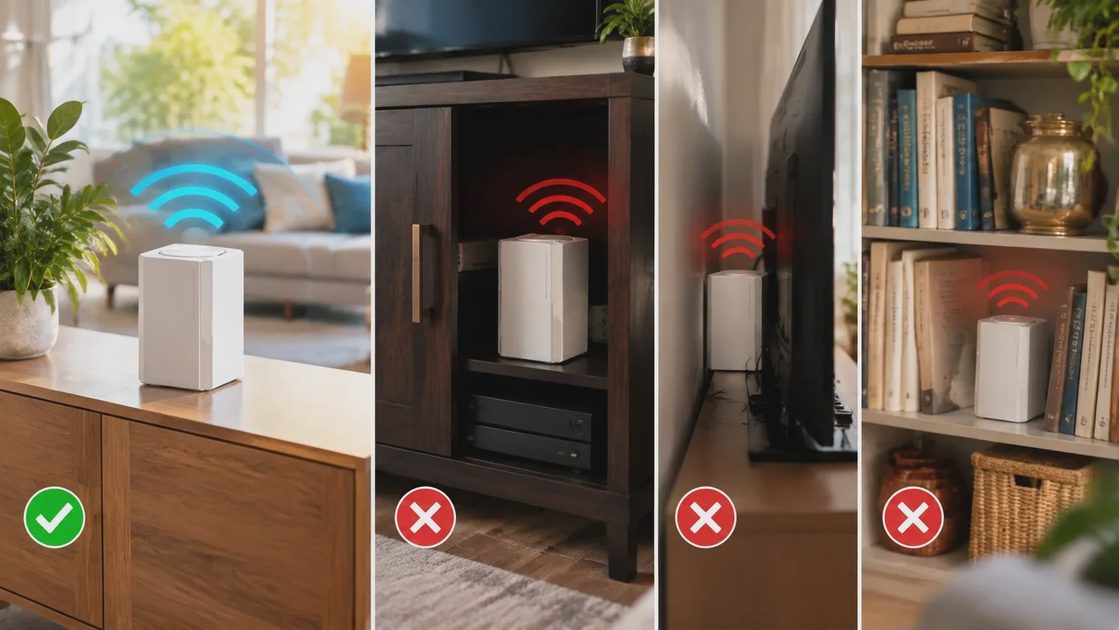
Mesh units need open air. Putting them inside a media cabinet, behind a television, or on a low shelf surrounded by books and metal objects weakens both the connection to the other nodes and the signal they provide to your devices. The same principle that applies to a single router applies here: elevated, open, and clear of large obstacles.
I have fixed more than one “broken” mesh system simply by moving a node from inside a closed cabinet to a nearby open shelf. The improvement was immediate.
Mistake Three: Ignoring the Main Router Location
Some people assume that once they have mesh nodes the original router can sit anywhere. That is not true. The main unit still has to create a strong foundation. If it is buried in a corner or stuck behind the modem on the floor, every subsequent node starts at a disadvantage. Place the main unit first, in the best central location you can manage, then add satellites.
Mistake Four: Mixing Bands or Forcing Everything Through One Path
Most consumer mesh systems handle band steering and backhaul automatically. Problems arise when users manually lock devices to the wrong band or when the system is forced to use a weak wireless backhaul because no Ethernet option was considered. If your house has existing Ethernet runs, using a wired backhaul for at least one node dramatically improves stability. Even one wired node can change the feel of the whole network.
A Simple Placement Process That Works
Place the main router in a central, elevated, open location.
Walk the house and note where the signal from that single unit becomes weak but is still usable.
Put the first satellite in that transition zone, again elevated and open.
Repeat for additional nodes if needed, always keeping a strong link to the previous unit.
After everything is online, walk the house again with a phone and confirm that roaming feels smooth.
This process takes longer than plugging everything in at the far corners, but it produces a network that stays reliable.
When Mesh Is the Right Tool and When It Is Not
Mesh shines in long ranch houses, multi-story homes with thick floors, and houses with additions that sit far from the main living area. It is less necessary in smaller homes or open floor plans where a single well-placed router already covers the used spaces. Buying mesh because a store display said “whole-home coverage” is a common path to disappointment. Buy it because your own map showed clear dead zones that placement alone could not fix.

Maintenance Habits That Keep Mesh Working
Reboot the nodes occasionally. Keep the firmware updated. Avoid placing new large metal objects or dense furniture in front of a node after the system is stable. And if you add a new device that seems to struggle, check which node it has attached to before assuming the whole system is failing.
Closing Thought
Mesh Wi-Fi is a useful tool when the house needs it and the nodes are placed with the same care you would give a single router. Most of the problems I have seen were not hardware failures. They were placement decisions that looked tidy but ignored how radio signals actually travel. Get the placement right and the system becomes quiet and dependable—exactly what a family network should be.
Let’s make your home work for you, not the other way around.